Propose, compare and merge
Branching lets your team explore a design change before accepting it into the shared design.
Follow the workflow in the workspace
Section titled “Follow the workflow in the workspace”- Check the active project and branch. Open the branch selector and choose Create branch. Enter a unique name and confirm Create branch.
- Confirm the new branch is selected. Open an object, choose Edit, change a property, and choose Save changes. Use the object’s connection controls for relationship changes.
- Open the branch selector and choose View branches. Find your branch, choose Submit for review, provide the requested title and summary, and choose Create proposal.
- Choose View proposal to inspect the property, object and relationship diff against its target. Check the source and target branches as well as the values.
- An authorized reviewer chooses Merge to accept the reviewed work or Refuse to reject it. If a conflict or changed reviewed state is reported, resolve it and review the current diff before trying again.
Expected result: confirmed edits stay on the working branch until the merge succeeds. After a successful merge, select main and inspect the accepted object values.
The Quickstart walks through one requirement change in Demo World. Access and permissions explains unavailable controls and refused operations.
Create a branch
Section titled “Create a branch”Start from the engineering state you want to change. A branch gives the work a named place to develop. Select that branch before editing its objects and relationships.
For example, explore a different component choice and update the requirements and verification links affected by that choice.
Develop the change
Section titled “Develop the change”Work directly or with an agent. Each confirmed change records history and attribution.
A branch can carry several iterations. Keep checking the current branch so you know which design state a table, graph or object view shows.
Compare and propose
Section titled “Compare and propose”Compare the branch with the target design. Inspect changes to properties, objects and relationships. Submit the branch as a proposal when it is ready for review.
A proposal makes the engineering change reviewable by the people responsible for accepting it.
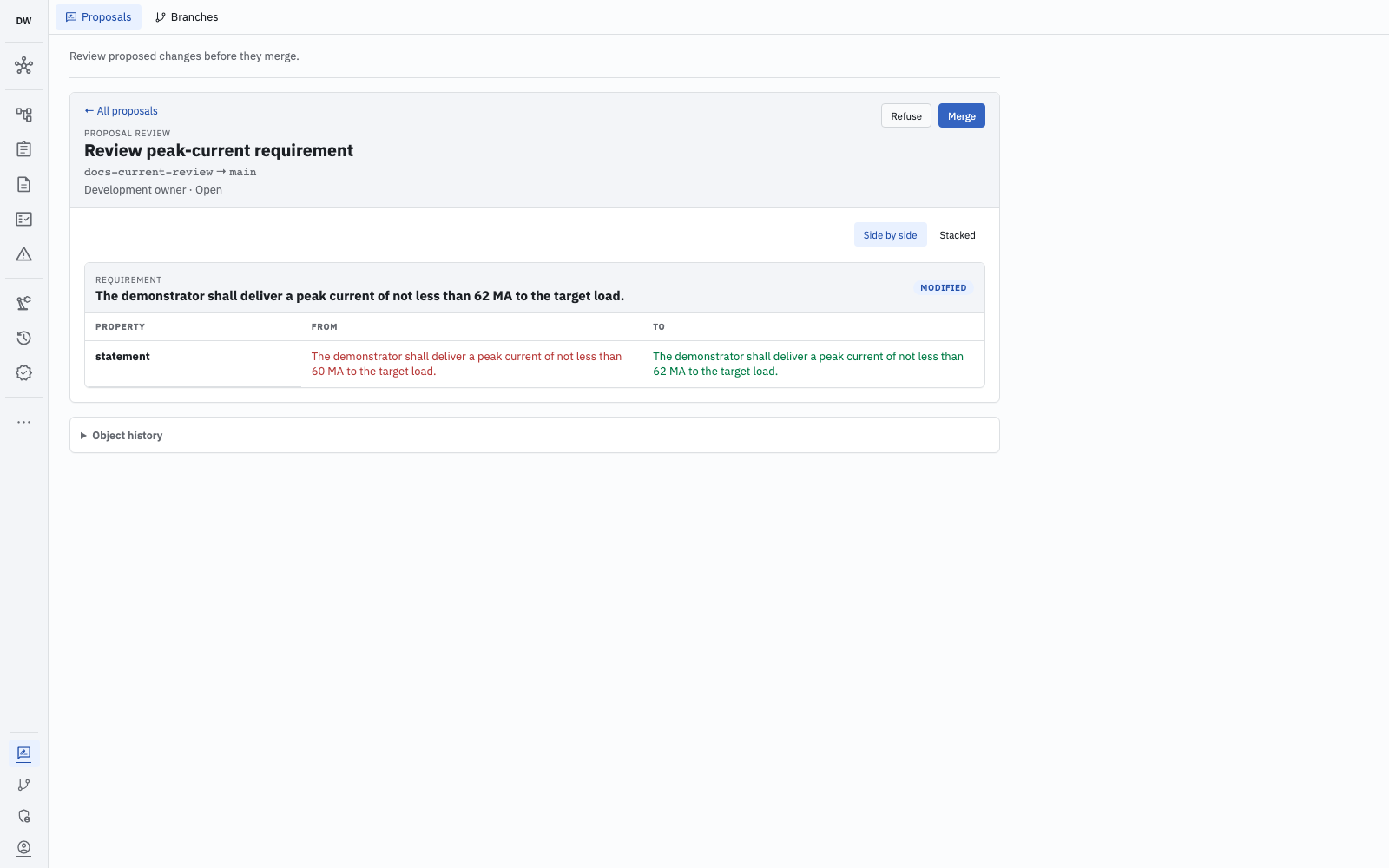
The quickstart’s change is reviewable before merge: the source and target branches appear above the old and new property values. Open full-size screenshot.
Merge or resolve conflicts
Section titled “Merge or resolve conflicts”An authorized person merges the accepted work. The merge checks the reviewed state and applicable permissions. A conflicting change needs resolution before it can land.
If the shared design has changed, inspect the new state and resolve the disagreement. Review the resulting change before merging it.
Choose the level of control
Section titled “Choose the level of control”An unprotected project can allow direct editing on main. Project protection requires affected engineering data on main to change through merge. Controlled types can require that path even in an otherwise unprotected project.
Agents apply approved plans on unprotected branches. A person retains responsibility for accepting the work into the protected design.
What branches contain
Section titled “What branches contain”Engineering objects and relationships participate in branching. Type definitions, membership and workspace configuration use separate lifecycles.
A branch is a design alternative; project permissions still govern the data on it.